Product Description
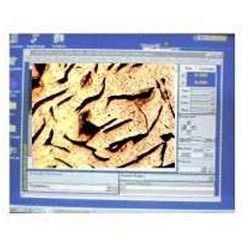
Image Analyzer Software Analyses Microstructure with repeatable accuracy. Generates and prints Prints reports.Modules Available.ASTM E 1112 Determining average grain size by linear intercept. ASTM,E 562 Phase Volume Fraction. Measuring percentage of Ferrite.Pearlite. Carbide,Retained Austenite etc. ASTM A 247 Microstructure of graphite S.G Iron Modularity & Nodule count Size & class distribution(1 to 8) Cast iron Flake size 8 Flake count Size & class distribution.
Real-Time Image ProcessingExperience seamless real-time image analysis with optimized processing speed. The software is designed for environments that demand quick results, ensuring you never have to wait for slow batch processing. Advanced measurement and annotation tools further facilitate efficient workflows and precise data capture.
Comprehensive Security SolutionsYour sensitive data is safeguarded with password-protected access and encrypted data handling features. This ensures compliance with demanding research and forensic analysis requirements. Peace of mind is guaranteed when dealing with critical images and analysis reports.
Flexible Data Export and CustomizationTailor your analysis and data output to suit specific needs. Export processed images, measurement data, and annotated reports directly in CSV, PDF, or image file formats. Customizable analysis modules allow adaptation to unique laboratory or research requirements, streamlining the analytical process.
FAQs of Image Analyzer Software:
Q: How does the Image Analyzer Software support various image formats during analysis?
A: The software is compatible with JPEG, BMP, PNG, TIFF, and GIF formats, enabling you to import and process images from diverse sources without conversion hassles.
Q: What are the minimum system requirements for installing the Image Analyzer Software?
A: To run the software, you need a computer with at least 2 GB RAM, a 1 GHz processor or higher, and a minimum of 500 MB free disk space. It supports both desktop and laptop computers running Windows or Linux.
Q: When are software updates and technical assistance available?
A: Regular software updates and technical support are provided to all users, ensuring your system remains up to date and operational. Assistance is accessible whenever you encounter issues or require help with new features.
Q: Where can installation support be availed for this imaging software?
A: Installation support, both remote and onsite, is available for users across India. Our team ensures efficient setup on your preferred system, minimizing downtime and technical challenges.
Q: What data export options are provided by the Image Analyzer Software for processed results?
A: Processed data and analysis reports can be exported in CSV, PDF, and image file formats, allowing easy documentation, sharing, and further analysis as required by your workflow.
Q: How is data security managed within the software platform?
A: Security is maintained through password-protected access and encrypted data handling, protecting sensitive or confidential information during image processing and report generation.
Q: What are the main benefits of using advanced measurement and annotation features in this software?
A: Advanced measurement and annotation tools offer precise quantification and clear visual labeling within images, enhancing analysis quality and report generation for laboratory, research, or forensic applications.



 Send Inquiry
 Send Inquiry
 Send SMS
